RamPortal: An Adventure in Silliness
 ____________________________________
< <iframe>s are the root of all evil >
 ------------------------------------
        \   ^__^
         \  (oo)\_______
            (__)\       )\/\
                ||----w |
                ||     ||
At my university we use the Eullician suite of products to manage student information and provide self-service portals for them.
Eullician itself is not that bad I guess. It seems like you can set it up in a way that works well. Let’s see what happens when you don’t do that.
Basics
The front-facing entrypoint for our SIS is branded as “RamPortal”. Its product name is Eullician Experience. It consists of cards that link to other Eullician systems. Some come built-in, and institutions can create their own as well. Experience uses many other services, one of which is Banner.
Banner is the central student information system that others pull from, it’s a central store and library for common information. Sometimes information may be directly fetched from Banner within Experience. Other times, Experience will open another application instead.
The following other applications exist in my university that I’m aware of.
- Student Self Service
- Registration Self Service
- General Self Service
- DegreeWorks
- AppNav
- BannerAdmin
Some of these are directly part of Banner, some of them aren’t. All of them interface with it in some way though.
The Problem
Launching applications directly from Experience opens a new tab, which is still in Experience, but loads applications in an <iframe>.
The issue is all of our applications are on separate subdomains, meaning session cookies will not be sent to them because it’s considered a cross-origin request. Most browsers are blocking cross-origin cookies now, because they are used for tracking and generally are bad practice.
Without session cookies, each application you try to load will need you to login again. However, our IDP actually forbids embedding itself in <iframe>s, so your browser will not allow the login page to appear.
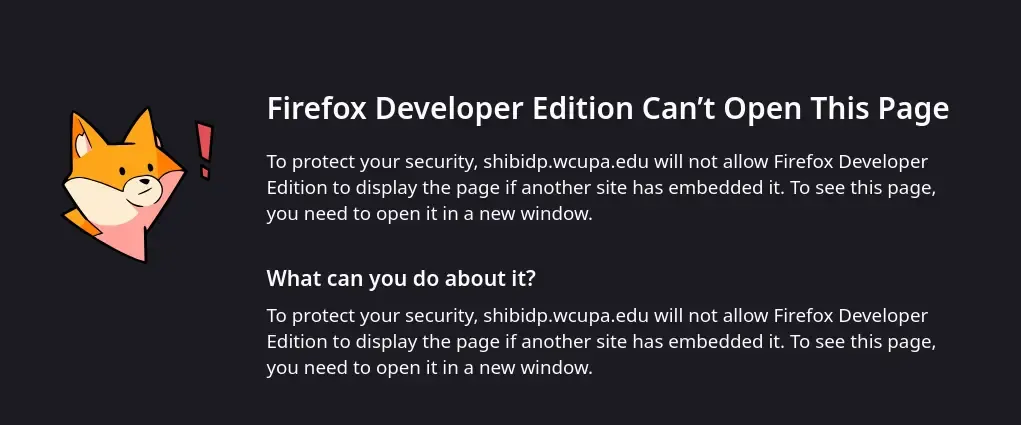
This makes apps inaccessible in any browser that disallows cross-origin cookies. Our support staff likes to pretend like this is the fault of the browsers of course, “sorry only Chrome supports RamPortal”. In reality, Chrome is the only one that prompts you when a site requests sending cross-origin cookies. It really irks me.
Even on Chrome this process sucks. You have to approve it 3 different times and it takes forever to load anything. All to prevent that pesky login page from showing up. This also means in Firefox if you first load the application directly, get a session cookie on its origin, and then access it in Experience, everything is fine.
I got very tired of this so I decided to make Damn Portal, a page with direct links to each application. I should not have to do this.
Potential Solutions
- Eullician supports running all application under one origin and using a subpath to differentiate apps. If everything is under one origin cookies can be sent no problem.
- Don’t forbid embedding our IDP, not ideal since it’s a valid thing to do.
- Literally just OPEN A NEW TAB WITH THE APP. They do this with some cards now but really this is the only solution that makes sense. No one needs the useless frame that Experience provides.
At least an option to open a new tab would be nice.
Other Problems
There’s some other complaints I have too.
It’s Ugly
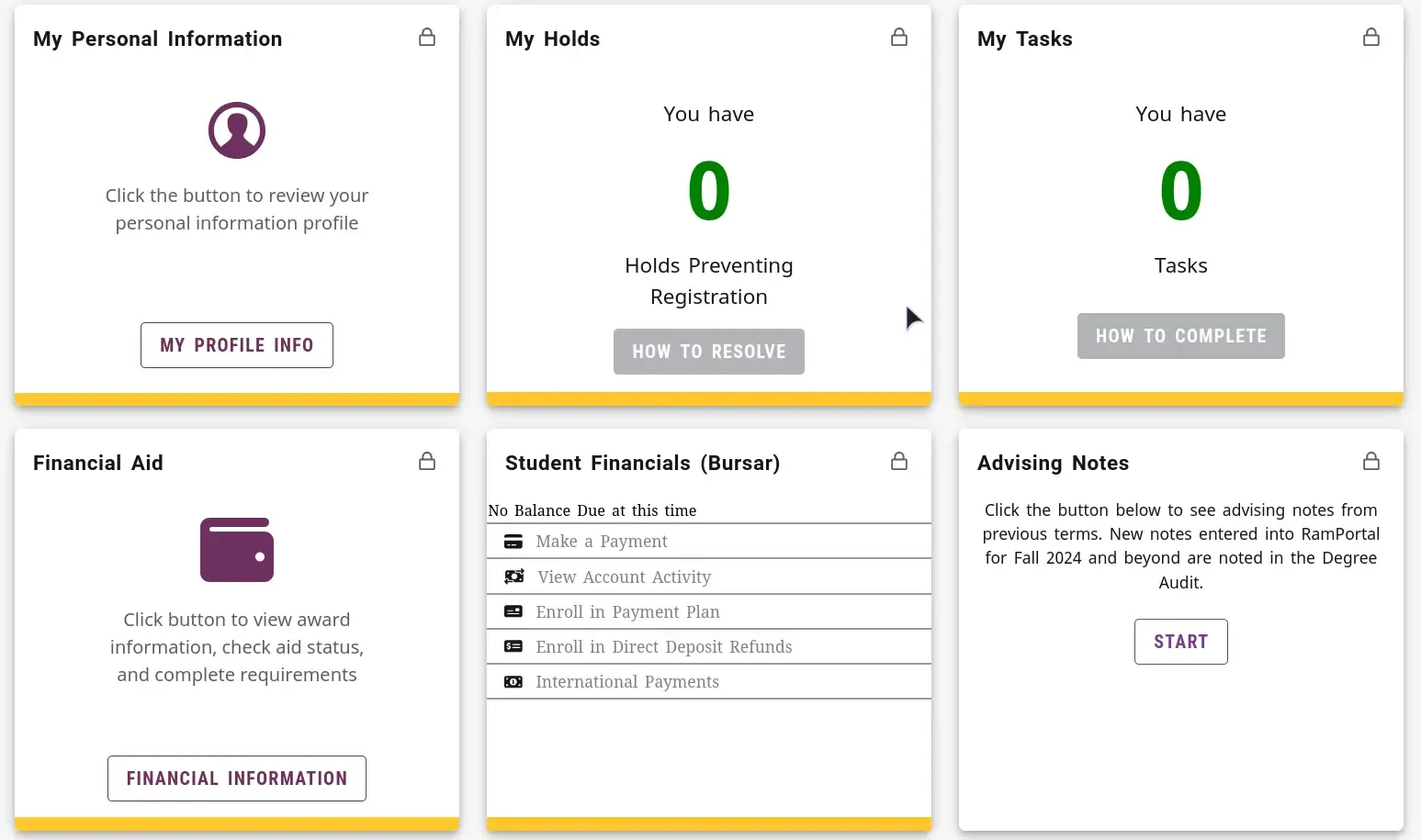
Every single card is inconsistently styled, which makes it hard to find stuff. What does the yellow bar at the bottom mean? Why do some have icons? Is making spacing consistent impossible?
Pictures as Links
This is (in my opinion) the most egregious issue. Some cards have no text or button at all. They are a picture that is a link. This is not an accessible or intuitive way to make a link. It’s web design basics that you never do something like this. If it was an icon it would be fine, but it’s just a picture!
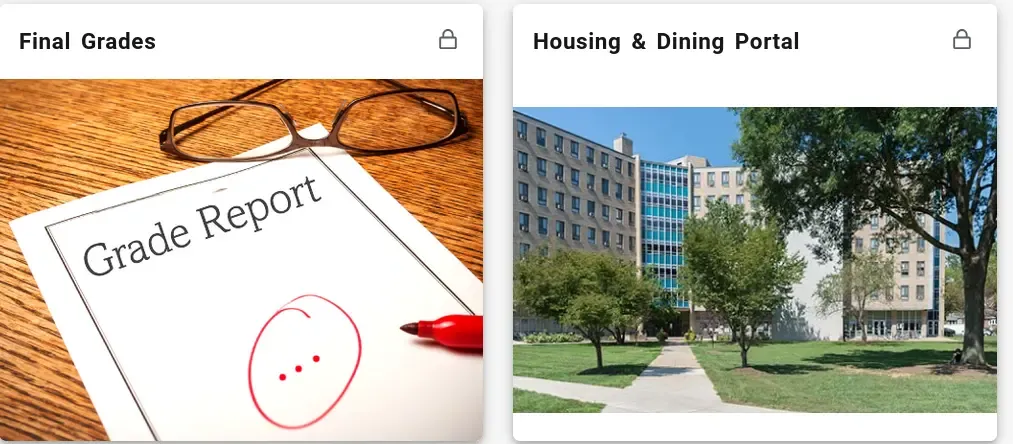
Also you’ll notice even those aren’t consistent 😃
Banner Admin
When I want to access administrative information for my job, I go to AppNav. AppNav, of course, embeds Banner Admin in an <iframe>.
Ignoring the aforementioned issue, which does still happen. Chrome recently introduced Local Network Access checks. This disallows requests from “remote” addresses to “local” addresses. This is mostly a defense if you’re running local HTTP servers (developers will often do this for development versions of their sites).
This is a bit of a weird chain that happens but:
- When loading Banner Admin in the
<iframe>, it loads the Eullician Ethos ISP (I think) to get a session token - That IDP makes some XHR request to a local address (I believe Banner Admin itself), and fails because of LNA protection
- Womp-womp :(
Meaning, now in Chrome you can’t access Banner Admin. Normally Chrome pops up with a dialog, but because it’s in an <iframe> it doesn’t! They eventually realized this issue and set the proper attributes on the <iframe> to allow LNA. Before that though, they told people to disable LNA checks. It feels wrong that your application breaks and your advice to people is to disable a security feature of their browser, but that’s just me.
The funniest part of this is our university actually uses a public address range for nearly every other device on the network. I’m not sure why exactly but we do get addresses that are at least considered public according to RFC 1918. But for some reason, Banner Admin specifically was given a normal private address. If they used their normal addressing on it, we would have no issues :P.
And no, other servers don’t use the private address range from what I can see.
Luckily I can load Banner Admin directly, and after some messing around I can login to it and just access the stuff I need directly. I need to know the form codes I want by heart but not too bad.
Conclusion
RamPortal is still relatively new for the university, we’re going to have issues with it as we configure it how we like. But, this issue has happened since day one and it makes people’s lives harder. On principle, your website should support all major browsers, and forcing people to use a specific browser is a sign that your application needs some work.
It seems that not much care has gone into the user experience of this system.