Steam Remote Play Headless
 ________________________
< We have Stadia at home >
 ------------------------
        \   ^__^
         \  (oo)\_______
            (__)\       )\/\
                ||----w |
                ||     ||
For a while, I’ve wanted a setup where I can simply SSH into my desktop, start Steam, and use remote play to play my games.
Gamescope offers a backend called headless that allows me to do this, after some messing around I
got it working mostly.
There’s other software like Sunshine that seem cool and have NixOS modules. I chose to avoid these because of the extra setup they need, and my use-case is a lot simpler than what they’re made for.
Steam/Gamescope Setup
First some manual setup for Steam, I had to enable Remote Play and pair my laptop to my desktop for the first time. when you first try to connect to a device to remote play from it, you need to enter a PIN on the host.
Luckily I have a monitor plugged into my desktop so I just turned that on, opened Steam in a graphical session, and got everything set up. Hopefully I only have to do this once (but also Steam loves to clear my preferences so we’ll see).
My NixOS setup for steam and gamescope is this:
{
  programs.steam = {
    enable = true;
    remotePlay.openFirewall = true;
    extest.enable = false; # I'll explain this in a sec.
  };

  programs.gamescope = {
    enable = true;
    capSysNice = false; # I'll explain this too.
  };
}
Extest
We disable extest since it’s not really needed, and it will panic when you try to send any input to
a game Steam launches. false is the default so you can omit the line, but figured I should mention
it.
capSysNice
This is an already discussed issue. The way I’m launching gamescope is causing issues with bubblewrap passing the sysnice capability to Steam. I just disable that and renice it later.
I’m like 80% sure this is a skill issue on my part to be honest. Most stuff says this has been fixed, at least in the NixOS module for Steam.
Running Steam
With Steam set up and those options enabled, we can run gamescope. My laptop uses a 2256x1504
resolution so I’m setting that here. I set both gamescope’s resolution (-W/-H) and Steams
(-w/-h).
gamescope -W 2256 -H 1504 -w 2256 -h 1504 --backend headless --steam -- steam -tenfoot -pipewire-dmabufWe launch gamescope with our preferred resolution, with a headless backend and Steam integration enabled. Then we launch Steam in big picture mode.
I’ll usually start this in a GNU screen session so it doesn’t stop Steam if my SSH session drops.
screen -S steam # Before running gamescopeRe-nicing
Finally just renice all gamescope processes because it can start to degrade in performance after a while allegedly.
sudo renice -n -20 -p $(pgrep -d " " "gamescope")Not the best solution but works fine. You could also repeat this for Steam and the game you’re running once it launches.
Final Results
On a wired connection all the games I’ve tested are responsive and work very well besides some minor issues that are more a Linux/NixOS thing™ than specific to this. Here’s a screenshot from Portal 2 with the overlay enabled.
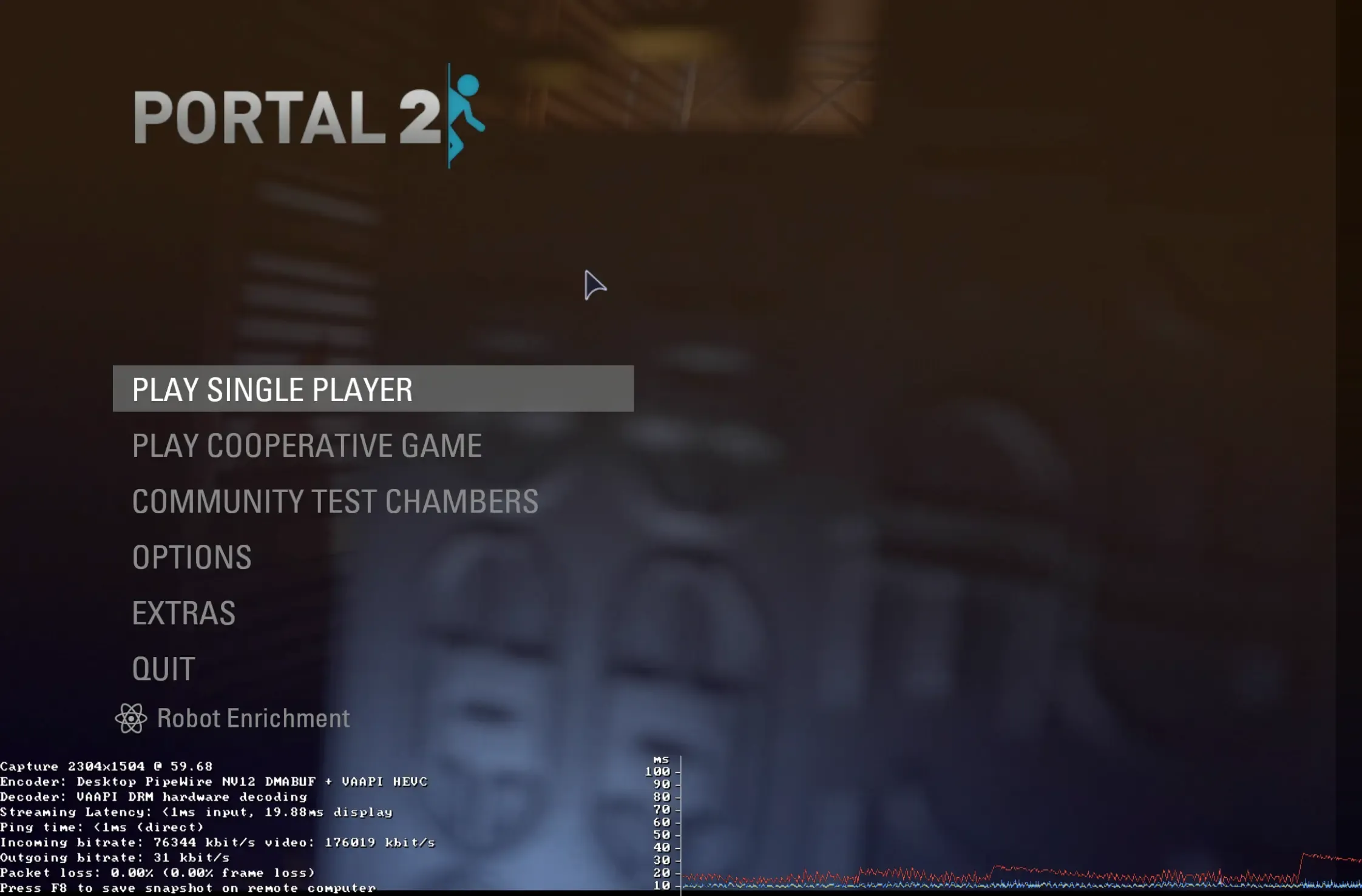
Consistently I get <1ms input latency and ~20ms display latency in-game, which for me is perfectly acceptable. I’m able to have all the settings on high now without my laptop becoming a nice and toasty 100°C.
The nice thing is how I can choose to start this whenever I want remotely; I don’t need a Steam session always open on a display on my desktop. I do wish Steam would let me add non-steam games in the big-picture UI because I still have to do that manually.
Conclusion
I’m sure Sunshine is way better in both performance and versatility but this works well enough for me and requires far less setup that I can deal with it. Security-wise I didn’t want to introduce an entirely new service just to stream games, especially since it has an entire auth system to set up.
Connecting via SSH is already easy since I use keys, and Steam handles everything for the actual remote play authentication for me already, so I see it as a much simpler setup.
Of course Sunshine does a lot more than Steam so it’s not really a fair comparison. I might end up trying it anyways to see how well it works.
First blog post in 2 years, maybe I’ll make another one this decade!